
Make every image tiny.
Ship images up to 80% smaller with zero visible quality loss. Drag them in — or wire the API into your build, your app, or your AI agents in one prompt.
Drop your images here
or browse files · paste works too
Up to 100 images · 4 MB each · JPEG, PNG, WebP, AVIF, HEIC, TIFF, GIF
- No sign-up
- Nothing stored
- Free while in early access
VISUALLY LOSSLESS
Can you tell the difference?
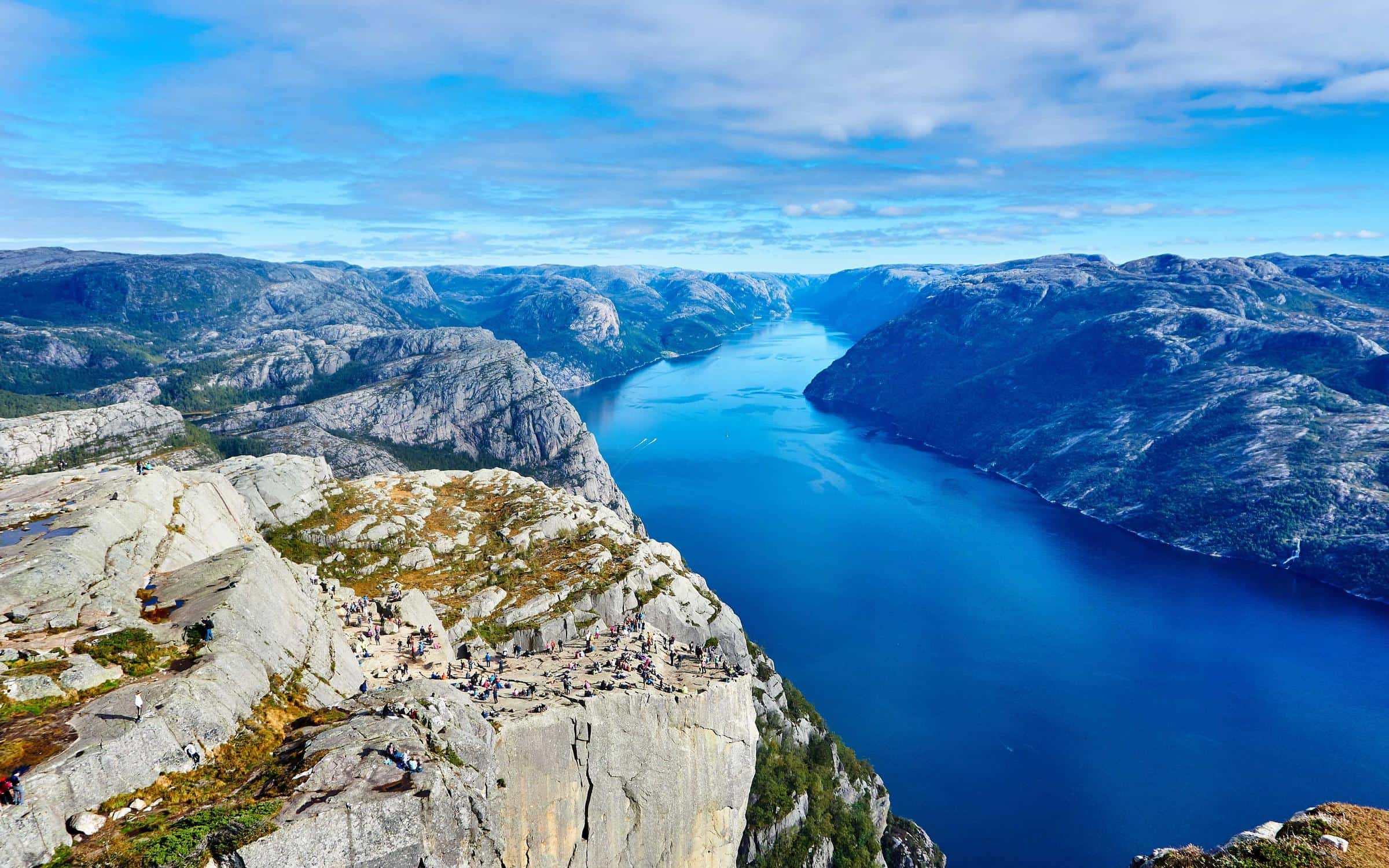
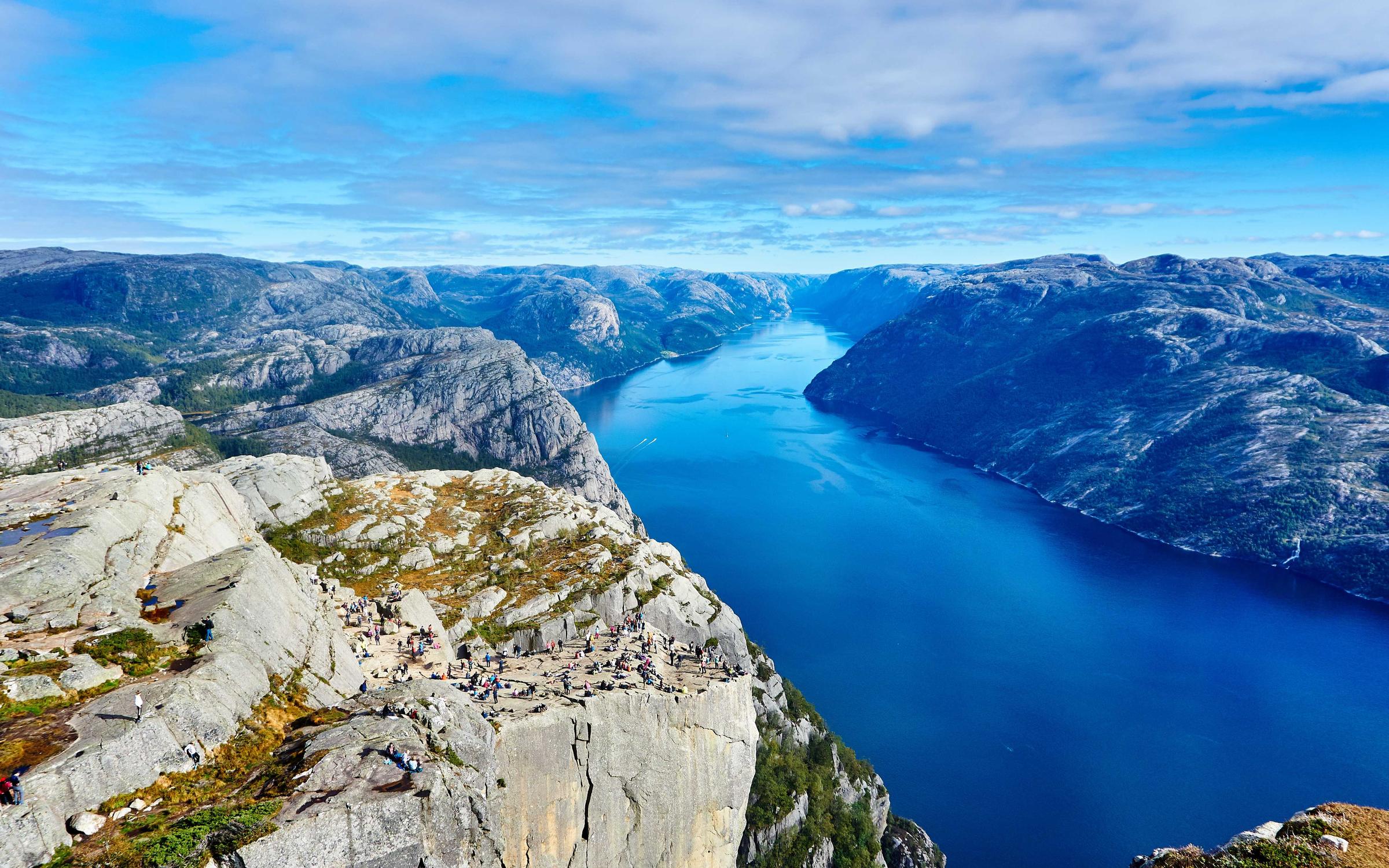
Drag the handle. Koala cut this photo by −42% (598 KB → 350 KB) — and its quality guard signed off on every pixel. Compress your own image above and it will appear here.
WHY KOALA
Tiny files. Zero compromises.
Compression engines are everywhere. Koala's edge is judgment: it finds the exact point where every image is as small as it can get — and refuses to go one byte past it.
Visually lossless
Every image is tuned individually and verified against a perceptual quality guard before it leaves. If a pixel would suffer, Koala backs off — you never trade beauty for bytes.
Modern formats
One flag converts anything to WebP or AVIF for savings legacy formats can't touch. iPhone HEIC in, web-ready out. Resize while you're at it — one request, done.
Built for AI workflows
Claude, ChatGPT, Cursor, Grok — any agent can drive Koala from a single prompt. No keys, no SDK, deterministic outputs, and a compress-from-URL endpoint made for generation pipelines.
Private by design
Images are processed entirely in memory and never written to disk. No accounts, no storage, no tracking. Your images are yours.
- typical file-size reduction
- 50–80%
- per image, every format
- <2s
- stored after your request ends
- 0 bytes
DEVELOPER & AGENT API
One POST away.
No SDK, no signup, no key ceremony. Send bytes, get smaller bytes — savings math in the headers, deterministic outputs that are safe to cache and re-run in CI. The whole API fits in a prompt: point Claude, ChatGPT, Cursor or Grok at the docs and your agent is compressing in seconds.
- POST
/api/compress— raw bytes or multipart in, optimized image out - POST
/api/compress-url— fetch + compress a remote image - POST
/api/batch— up to 20 images in, ZIP out - GET
/api/status/:id— batch job progress - GET
/api/health— service status
Paste this into Claude, ChatGPT, Cursor or Grok —
your agent can start compressing immediately:

  "Optimize my images with the Koala API.
   POST the raw image bytes to
   https://koala.brighter.la/api/compress?preset=web&format=webp
   with Content-Type set to the image's MIME type.
   The response body is the optimized image; the X-Savings
   header reports bytes saved. For remote images, POST JSON
   {url} to /api/compress-url instead.
   Full reference: https://koala.brighter.la/docs"

No keys to manage, no SDK to install — the entire
integration is one prompt. Native MCP server: coming soon.
PRICING
Free while in early access
Pay for images processed, nothing else. Paid tiers land soon — early-access usage is on the house.
Free
Available nowEverything you need to ship faster pages today.
- Unlimited web compressions
- 100 API images / month
- All formats: JPEG, PNG, WebP, AVIF
- Visually lossless, true lossless & presets
- No account required
Pro
Coming soonFor products and agencies with steady volume.
- 10,000 API images / month
- Priority processing
- Batch up to 100 images per request
- Email support
Scale
Coming soonFor pipelines that never stop generating images.
- 50,000 API images / month
- Custom presets & quality targets
- Dedicated capacity
- SLA + priority support
FAQ
Frequently asked questions
How does Koala compress images?
Every image is tuned individually. Koala's engine searches for the exact compression level where the file is as small as possible but still passes a perceptual quality check against your original — pixel-level analysis, not a one-size-fits-all setting. PNGs additionally get adaptive palette optimization, and modern formats like WebP and AVIF unlock the biggest wins.
Will I actually see a quality difference?
No — that's the whole point. Every result has to pass a visual-similarity guard against the original before Koala will return it. If an image can't be made smaller without visible damage, you get it back untouched: Koala never ships a bigger or uglier file. Use the High quality preset or true lossless mode when you need extra headroom for print or archival work.
What happens to my images?
They're processed in memory and released the moment your request ends. Nothing is written to disk, nothing is logged, and there are no accounts or tracking. Your images are yours.
Which formats are supported?
Input: JPEG, PNG, WebP, AVIF, HEIC/HEIF (iPhone photos), TIFF and GIF. Output: JPEG, PNG, WebP and AVIF. Auto mode keeps your input format (HEIC and TIFF become JPEG, GIF becomes PNG); one parameter converts everything to WebP or AVIF for the biggest savings. You can also resize while compressing with the width and height parameters.
Does it work with Claude, ChatGPT, Cursor and other AI tools?
Yes — Koala was built for exactly that. The API is plain HTTP with no keys, no SDK and deterministic outputs, so any AI agent can use it from a single prompt: paste the docs URL into Claude, ChatGPT, Cursor, Grok or your own agent and it can start compressing immediately. The compress-url endpoint is purpose-built for AI image-generation pipelines that hand you temporary URLs. A native MCP server is on the roadmap.
Is the API really free?
Yes — during early access the API is free and doesn't require a key. The free tier will stay at 100 API images per month once paid tiers launch; the web app stays free and unlimited.
How is Koala different from TinyPNG?
Three things: every image gets individually tuned compression with a visual quality guarantee instead of one global setting, AVIF output is first-class for savings TinyPNG can't reach, and the API is friction-free — no key ceremony, savings reported in plain response headers, batch-to-ZIP in one request, and AI-agent friendly by design.
Can I self-host Koala?
Yes. Koala runs anywhere Node 20+ runs — build it, start it, done. Self-hosting removes the hosted platform's request-size cap and keeps every byte inside your own network.